Glass Foundry
Glass Foundry
Frosted blur and liquid refraction for UI.
Unity 6 · URP 17 · Render Graph · uGUI
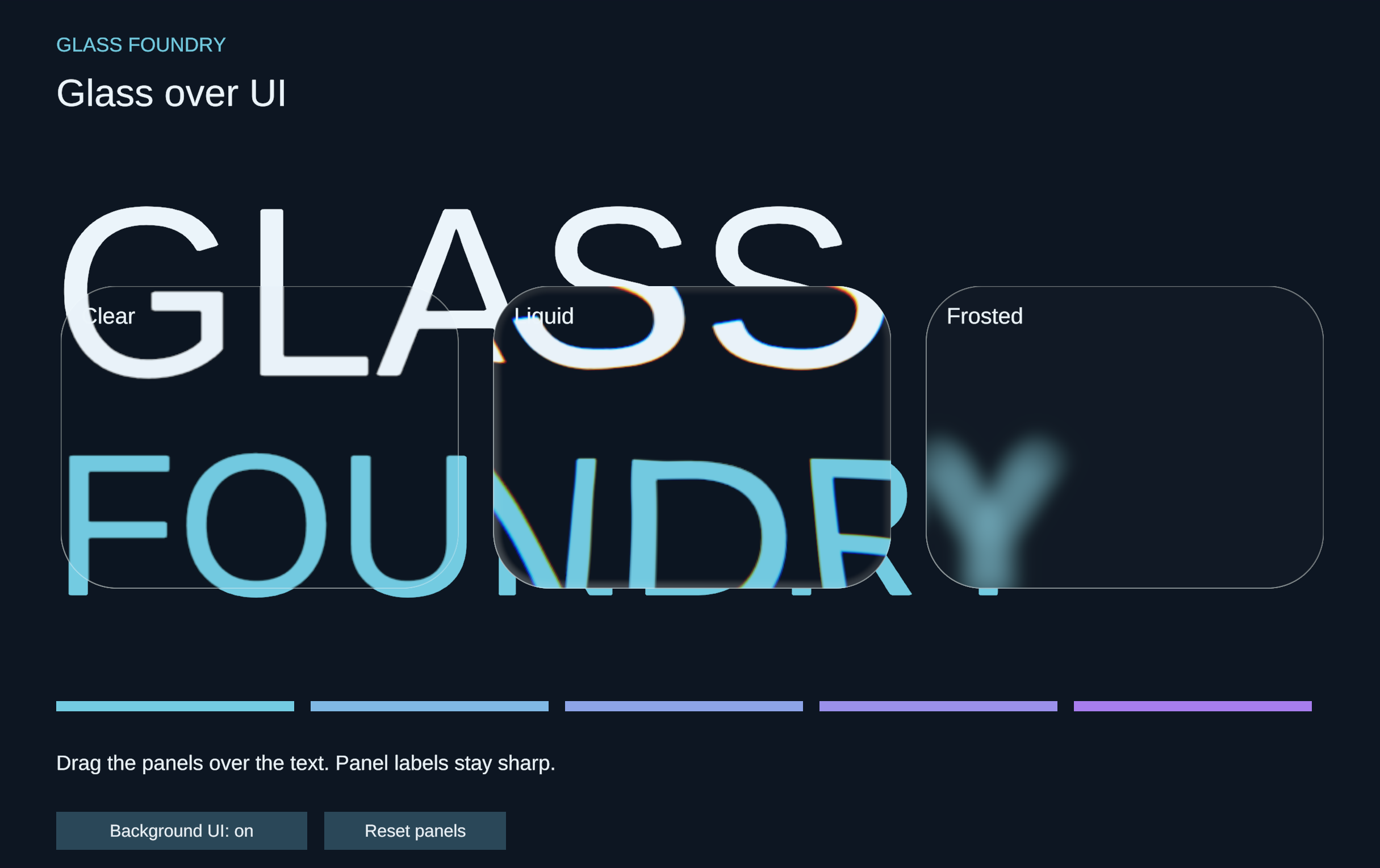
Add a Glass Panel to an Overlay Canvas, then choose Frosted, Clear or Liquid. The camera source controls the shared blur; each image controls its own tint, clarity and lens settings.
Blur text behind a panel
- Put the background text earlier than the glass in an Overlay Canvas hierarchy.
- Turn on Include Background UI on the camera’s Glass Source.
- Keep sharp panel labels inside the glass panel, or after it in draw order.
- Try Frosted, then lower Clarity for softer detail.
All panels share the background before the first visible glass panel. UI between glass panels and glass inside glass are not captured as separate layers. TMP and optional UniText text are supported.